IT Checklist: Lock Down Before the Holidays
The end-of-year shutdown is the perfect time to switch off, reset, and get ready for the year ahead. It’s also one of the riskiest times for businesses when it comes to IT.
Why? Because cybercriminals know offices are empty. Devices go unused for days or weeks. Staff are on holiday. And small issues that go unnoticed can quickly turn into big ones when no one’s around to catch them.
Here’s what your business can do over the shutdown period to stay safe and secure.
Cybersecurity Audit
A quiet office shouldn’t be an open invitation for cyberattacks. Before everyone leaves for the break, check that:
All staff passwords are strong and up to date
Multi-Factor Authentication (MFA) is turned on for Microsoft 365 and all other business apps
Your antivirus and endpoint protection tools are active and current
Admin accounts are locked down and being used appropriately
Any ex-employee access has been fully removed.
This significantly reduces the chance of someone getting into your systems while you're still relaxing.

Critical System Updates
Nothing dates faster than software. Unpatched systems are one of the biggest causes of security breaches.
Make sure:
Windows, macOS, and all business apps are fully updated
Servers and network equipment (firewalls, routers, switches) are running the latest firmware
Devices that haven’t been turned on in a while get updated before they’re left over the break.
If you have a managed IT partner like Satori Tech, this can usually be automated and scheduled.
Essential Data Backup
A backup is only helpful if it actually restores.
Before shutdown:
Confirm your backups have run successfully
Check the most recent restore point
Ensure critical data (emails, files, servers, cloud apps) is included
Make sure someone at your business knows how to reach us in case recovery is needed.
This protects you from ransomware, hardware failure, accidental deletion, or anything that might go wrong while no one is around to fix it.
Power Down & Secure
Not everything needs to stay running so secure devices that won’t be used.
Good practice includes:
Turning off unused workstations and monitors
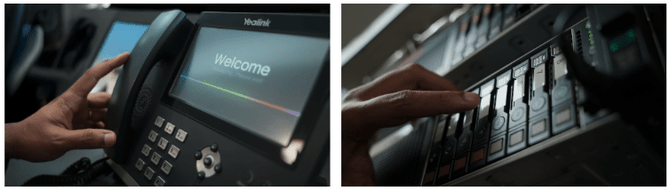
Ensuring servers and network equipment are physically secured
Checking alarm, access control, and CCTV systems are operating normally
Labelling anything that should not be powered down to avoid surprises.
This reduces risk and saves power costs over the break.
Prepare for January
A little planning now means a smoother start in January.
Consider:
Booking time with your IT provider for any early-January onboarding, device setup, or project work
Listing any upgrades, slow devices, or recurring issues your team has mentioned
Checking licence renewals for Microsoft 365, antivirus, or industry software
Reviewing your IT roadmap (or creating one if you don’t have one yet).
The shutdown period is actually a great time to get ahead of your IT to-do list.
Emergency Protocols
Even during a break, problems can pop up so make sure your team knows what to do.
Before everyone clocks out:
Share emergency contact details
Remind staff not to use public Wi-Fi for work
Encourage caution around holiday-season phishing scams (delivery scams and fake invoices spike in December).
A quick reminder can prevent a major incident.
Need help?
If you need help preparing for the shutdown period, Satori Tech can take this off your plate. We can run pre-holiday checks, secure your systems, update devices, confirm backups, and make sure you’re covered while the office is closed.
If you’d like support or have questions about your setup, get in touch with the team: support@satoritech.co.nz
Enjoy the break knowing your tech is looked after.